Module III Visual Communication Systems (Icons and Symbols)
Module III Visual Communication Systems (Icons and Symbols)
Schema della sezione
-
1. Introduction to Visual Communication Systems
-
-
-
1. Introduction to Visual Communication Systems
Communication is a fundamental process for a child's cognitive, social and emotional development. For children with verbal communication difficulties, visual systems are an essential way of expressing and understanding information.
Visual communication systems are part of the field of AGS – Augmentative and Alternative Communication and include a variety of tools such as:
icons
graphic symbols
photos
drawings
communication panels
digital programs with symbols.
needs
wishes
emotions
ideas
elections
opinions.
In the inclusive educational environment, the use of visual systems contributes to:
increasing student participation
Reducing frustration caused by communication difficulties
improving autonomy
Facilitating social interaction.
Visual systems are effective because:
Visual information is processed more easily by many students with communication disorders
Symbols provide permanent memory support
The messages are clear and structured.
2. Vocabulary structure in AAC systems
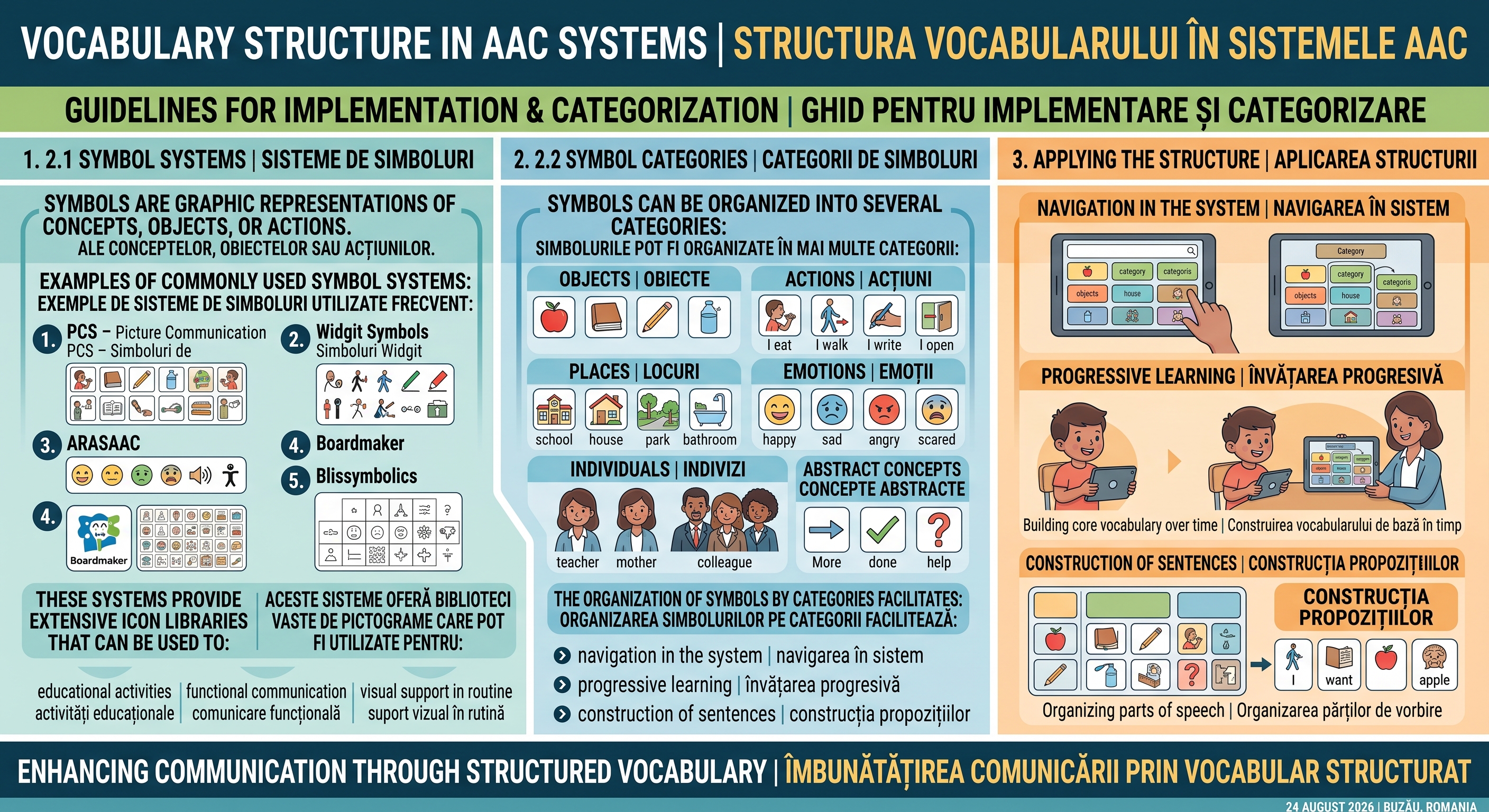
2.1 Symbol systems
Symbols are graphic representations of concepts, objects, or actions.
Examples of commonly used symbol systems:
PCS – Picture Communication Symbols
Widgit Symbols
ARASAAC
Boardmaker
Blissymbolics
These systems provide extensive icon libraries that can be used to:
educational activities
functional communication
Visual support in routine.
2.2 Symbol categories
Symbols can be organized into several categories:
1. Objects
ex: apple, book, pencil, water
2. Actions
ex: I eat, I walk, I write, I open
3. Places
ex: school, house, park, bathroom
4. Emotions
ex: happy, sad, angry, scared
5. Individuals
ex: teacher, mother, colleague
6. Abstract concepts
ex: More, done, help.
The organization of symbols by categories facilitates:
navigation in the system
progressive learning
construction of sentences.
3. Basic vocabulary and specific vocabulary
Two main types of vocabulary are used in the AGS.
3.1 Core vocabulary (basic vocabulary)
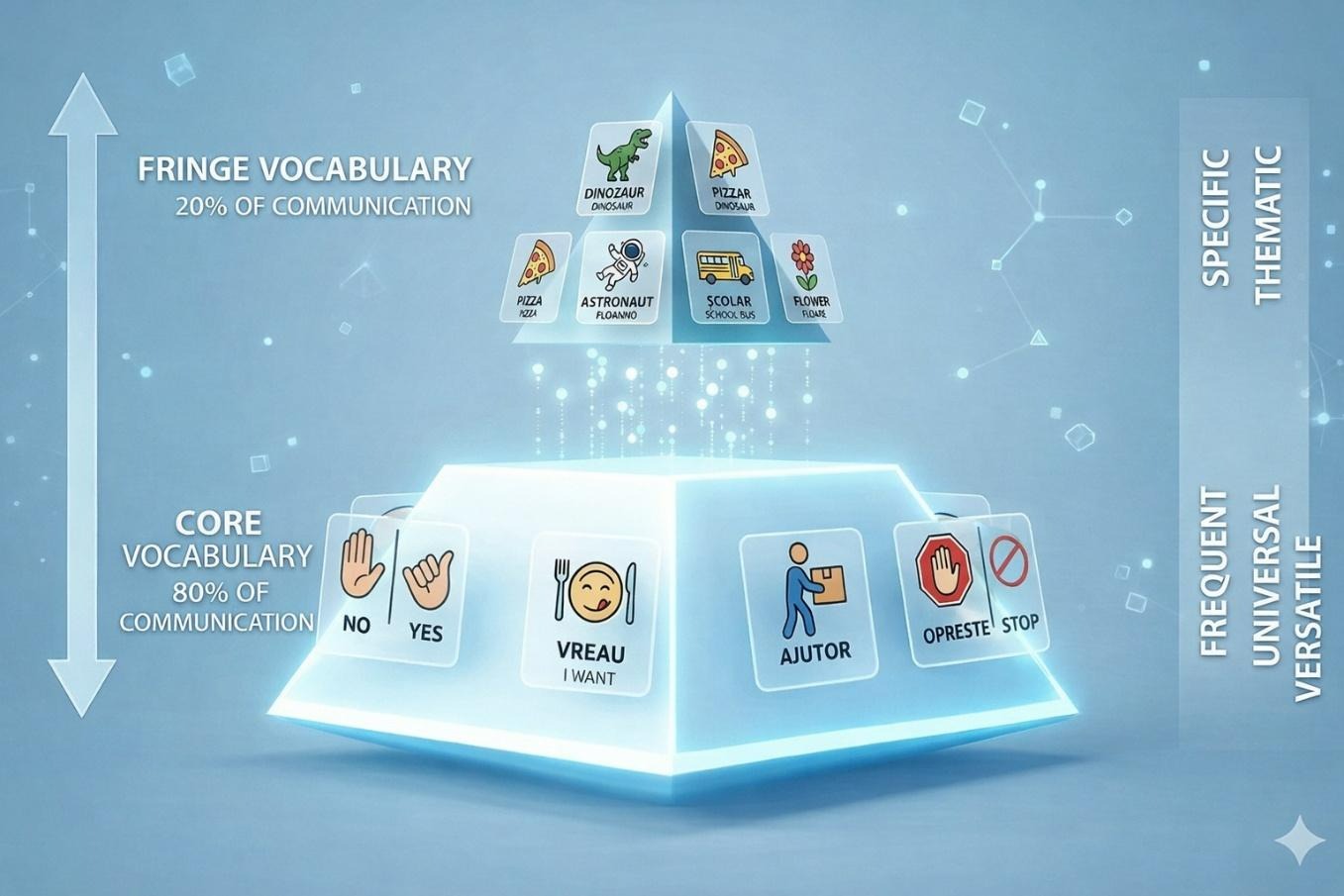
CORE vocabulary (basic): 80% of what we say daily consists of about 200-400 generic words (verbs, pronouns, adjectives: I want, no, ready, up, help).
This type of vocabulary includes the words most commonly used in everyday language.
Examples:
me
you
want
go
more
ready
here
over there.
These words allow a large number of sentences to be constructed.
Characteristics:
frequent use
Applicability in many contexts
Support for language development.
3.2 Fringe vocabulary (specific vocabulary)
FRINGE Vocabulary (peripheral): Specific words, nouns (colleague names, favorite foods, biology terms). This type of vocabulary includes words specific to contexts or interests.
Examples:
dinosaur
piano
mathematics
football.
These symbols are important because:
reflect the interests of the child
Increase your motivation for communication.
Pyramid of Vocabulary:
4. Visual tools for learning and routines
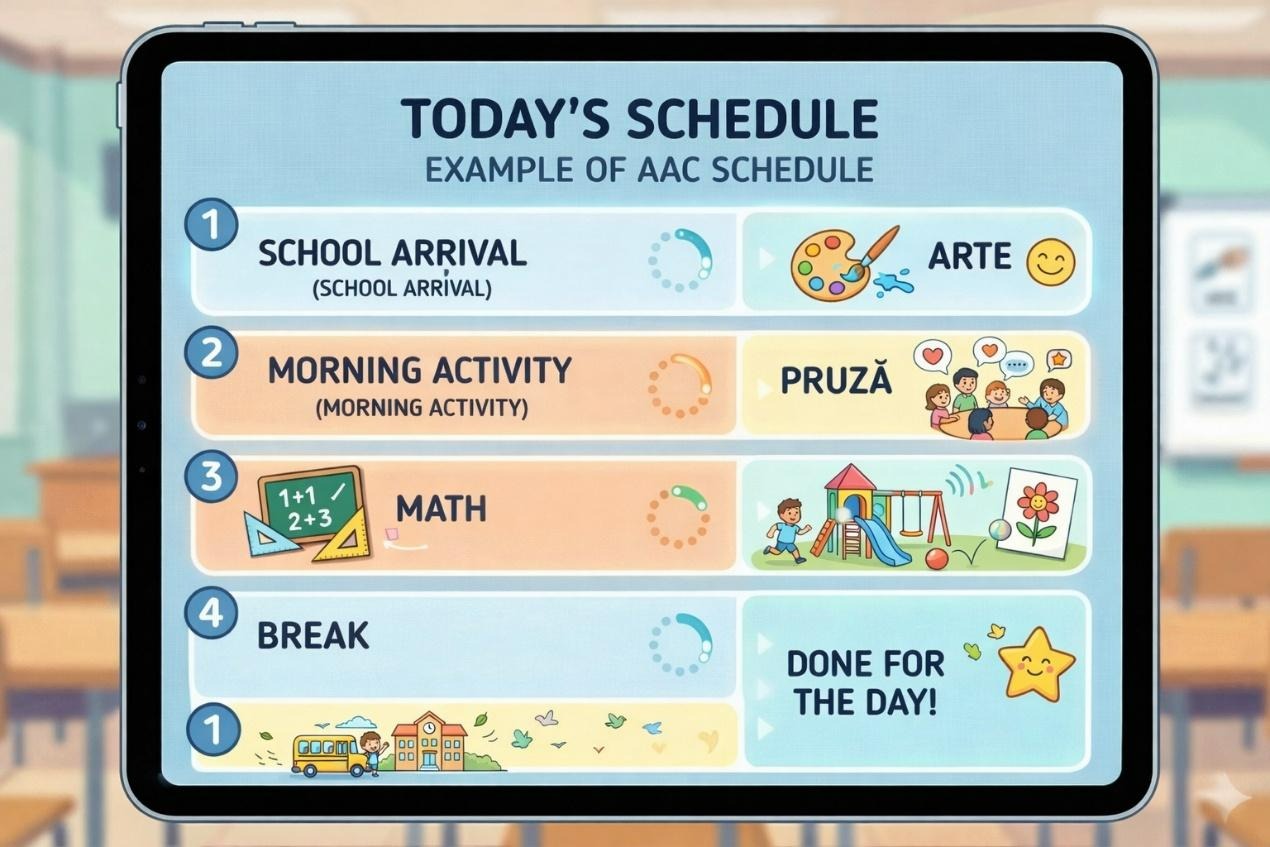
4.1 Visual timetable
The transformation of the abstract program ("We have mate, then pause") into a sequence of images.
Types: Linear timetables (on the wall), individual portable timetables, digital timetables.
Visual schedule is one of the most used AAC tools.
It shall show:
activities of the day
order of activities
Approximate duration.
Benefits:
reduces anxiety
increases predictability
It improves transitions.
Example of timetable:
Arrival at school
Morning activity
mathematics
break
arts.
4.2 Task strips
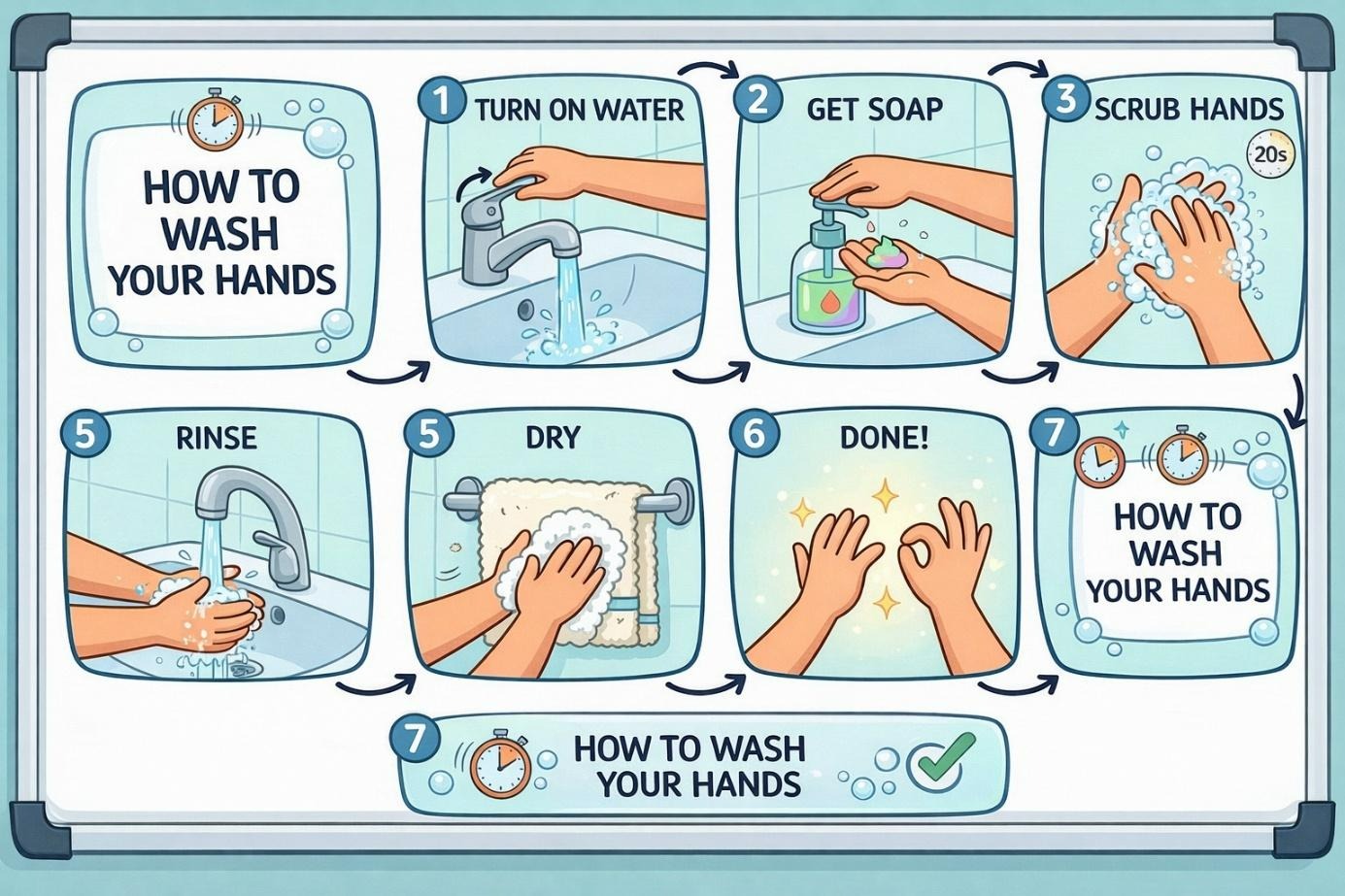
Breaking down a complex task into small steps. Example: Handwashing (7 steps viewed). Task strips are visual sequences that show the steps of a task.
Example:
"How to wash my hands"
*open the faucet
*put soap
*rub my hands
*rinse
*delete.
These tools are useful for:
development of autonomy
organisation of activities.
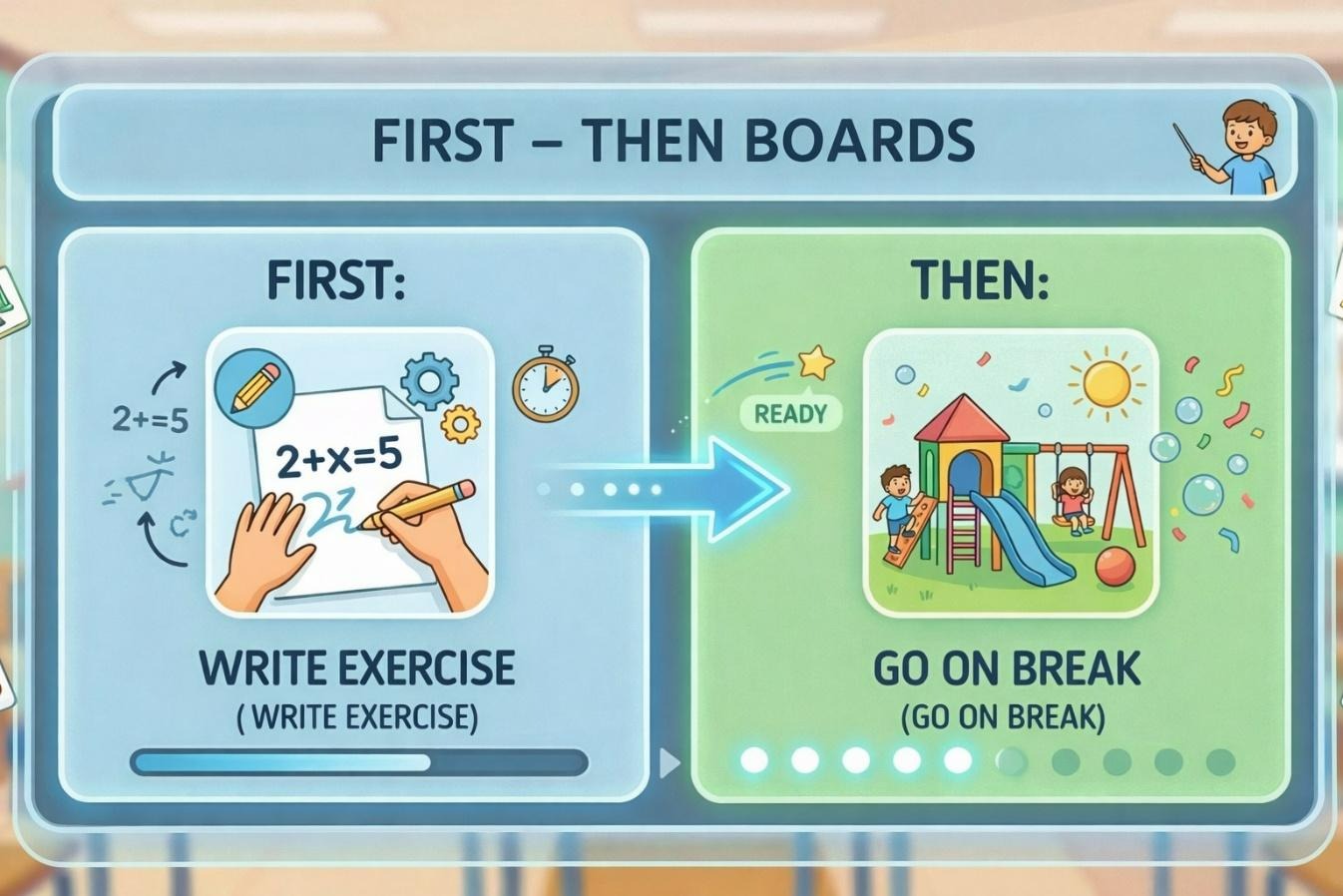
4.3 First – Then boards
These panels show the relationship between two activities.
Example:
FIRST: write the exercise
THEN: I'm going on break.They are used for:
Motivation of students
Clarification of expectations.
5. Communication panels for daily interaction
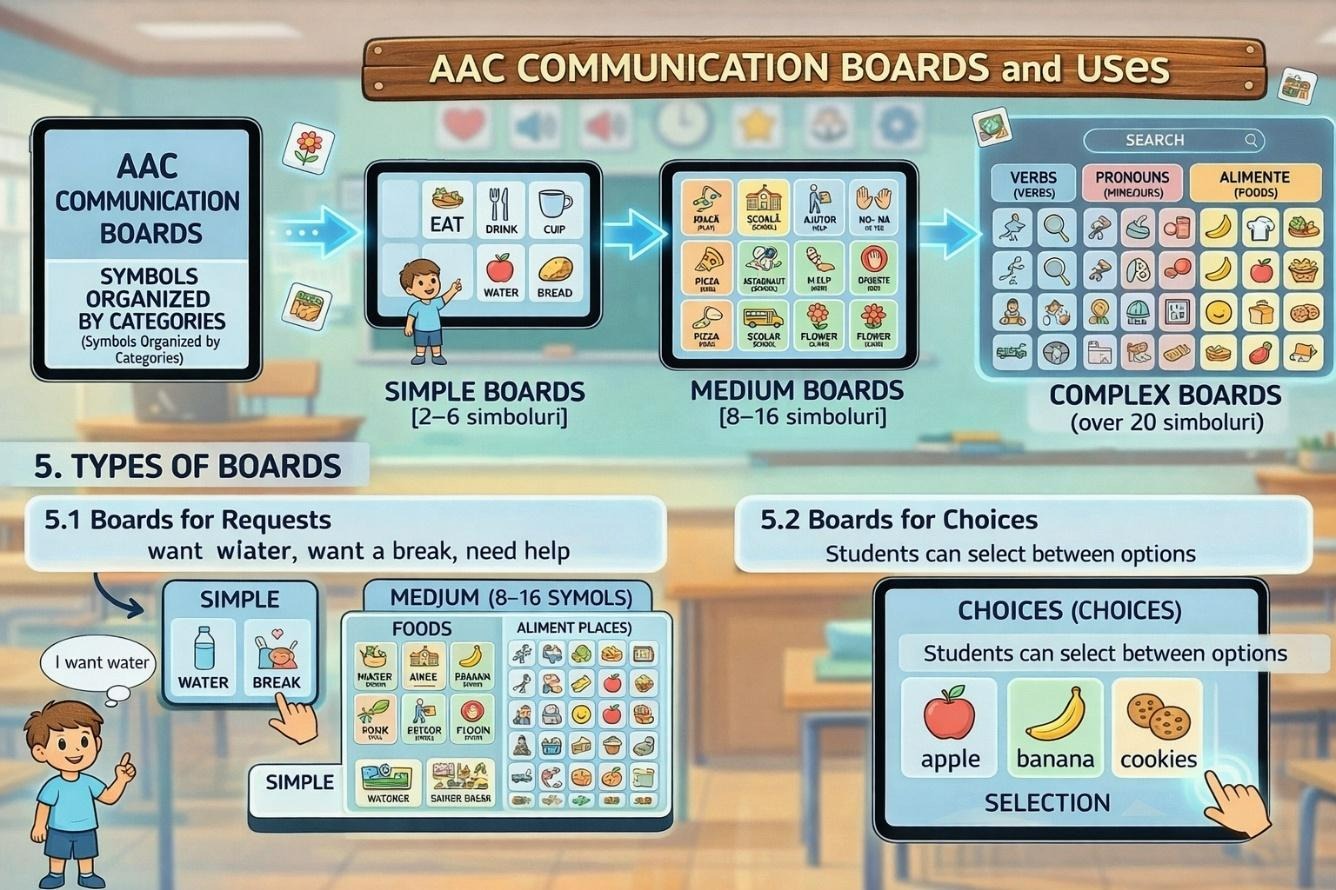
Communication panels are tools that contain symbols organized by category.
Types:
simple panels
2–6 symbols
medium panels
8–16 symbols
complex panels
More than 20 symbols.
5.1 Application panels
Examples:
I want water
I want a break
I want help.
5.2 Panels for elections
Students can choose between options.
Example:
Apple
banana
biscuits.
5.3 Social media panels
Examples:
Hi
thanks
please
I like it.
6. Symbol sets for class and home
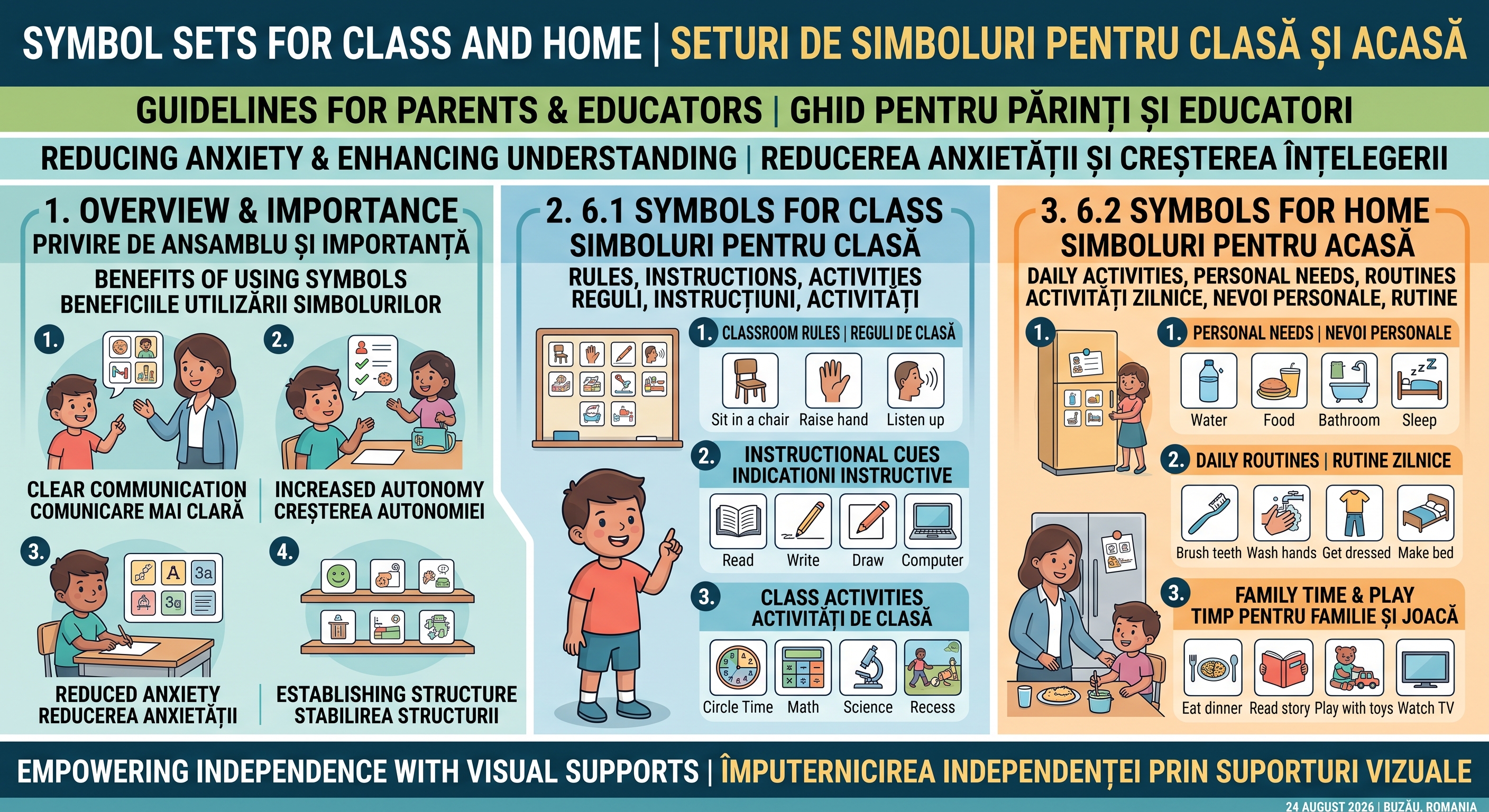
6.1 Symbols for class
These include: rules, instructions, activities.
Examples: Sit in a chair, raise your hand, listen up.
6.2 Symbols for home
These include: daily activities, personal needs
Family routines.
Examples: eat, sleep, bathroom, play.
7. Adaptation of accessibility of symbols
For students with visual or motor difficulties it is necessary to adapt the symbols.
Important issues:
size of symbols
The symbols must be large enough.
contrast
the background shall allow good visibility.
spacing
the symbols must be sufficiently spaced.
colors
Colours can be used to encode categories.
8. Creation of AAC visual resources
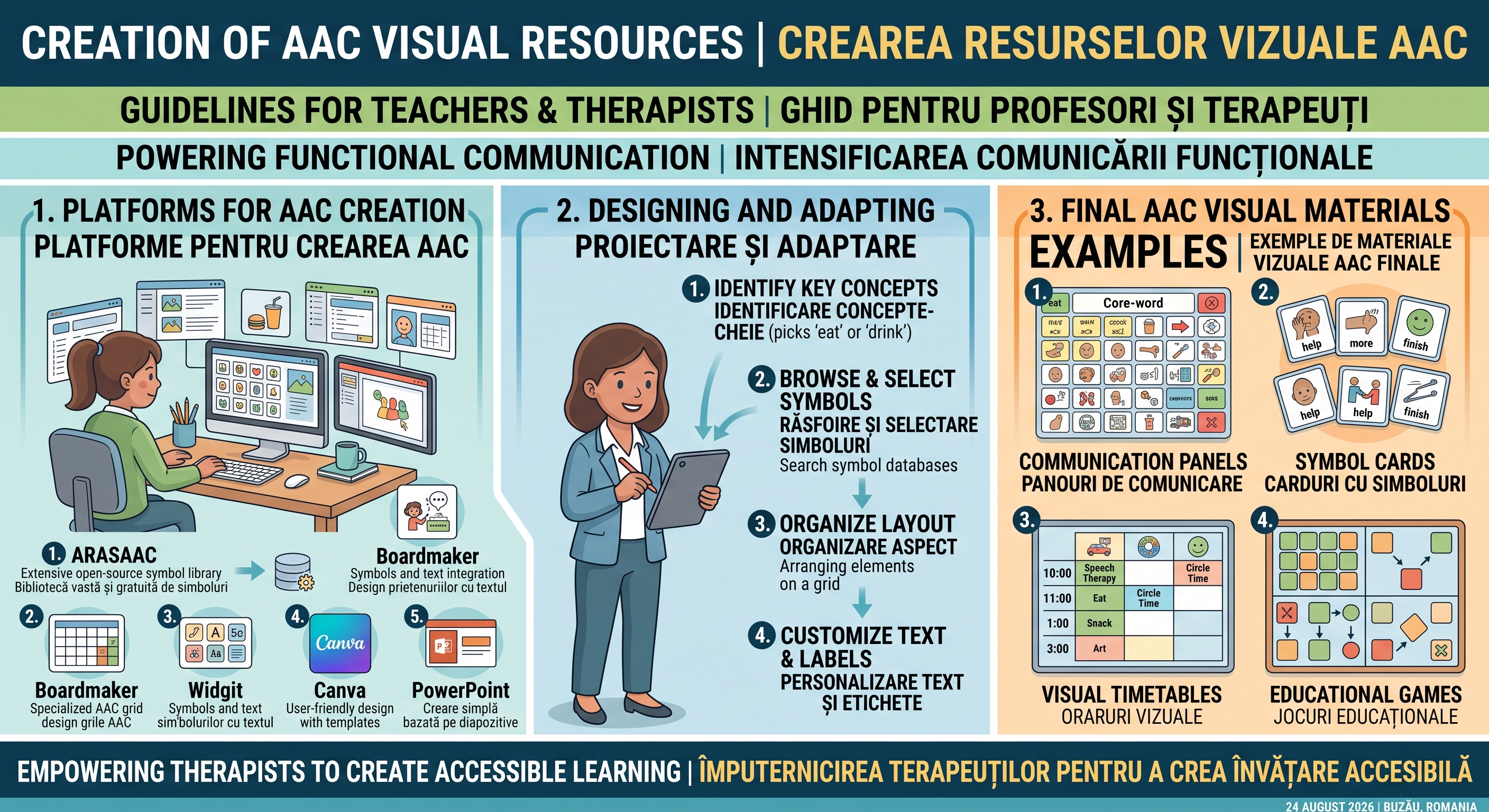
Teachers and therapists can create AAC materials using various platforms:
ARASAAC
Boardmaker
Widgit
Canva
PowerPoint.
Examples of materials:
communication panels
symbol cards
visual timetables
educational games.
9. Practical activities for students:
Activity 1
Building a communication panel for requests.
Activity 2
Create a visual schedule for a school day.
Activity 3
Create a set of symbols for your morning routine.
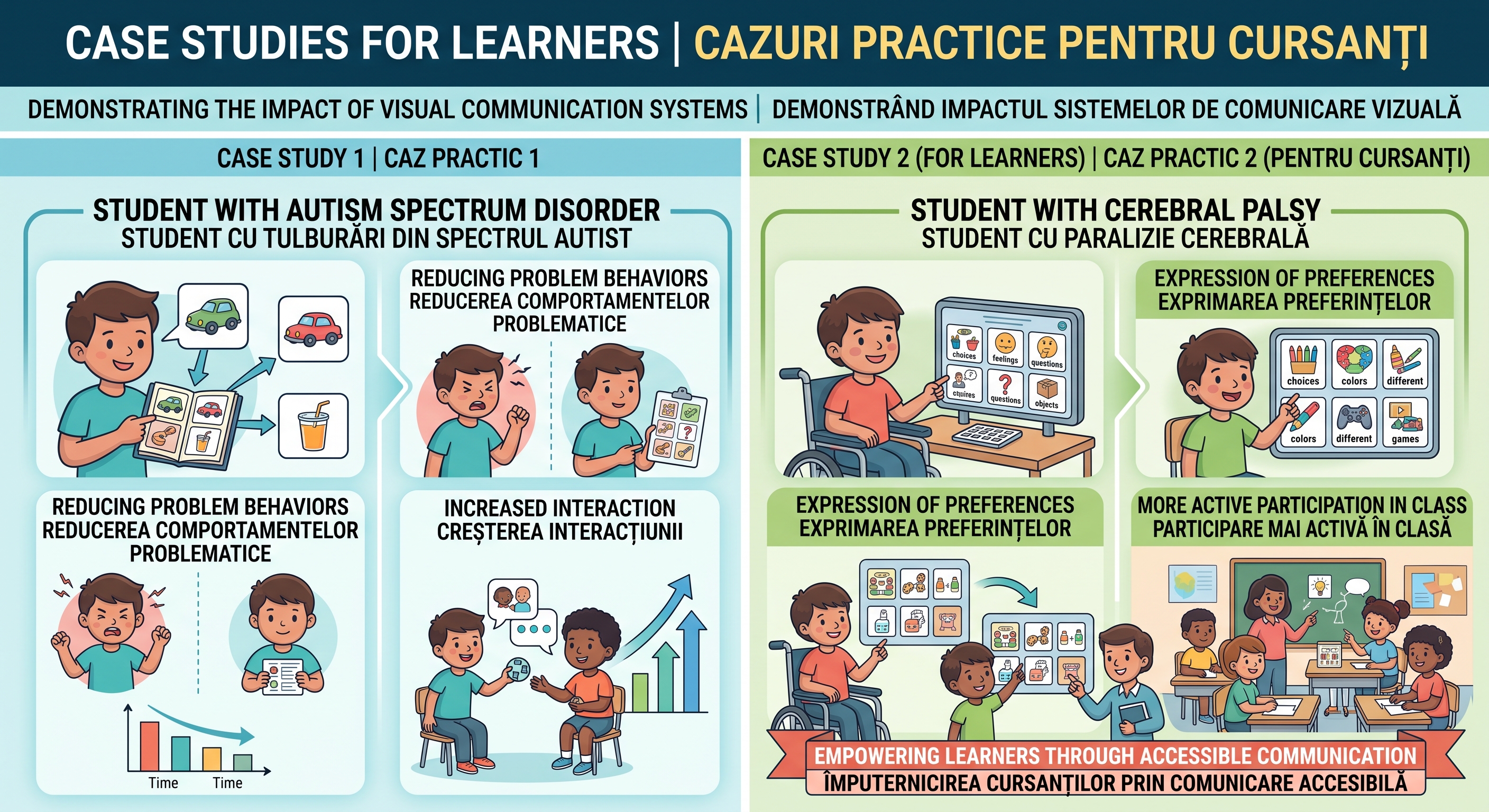
10. Case studies for learners
Case Study 1
A student with autism spectrum disorder who uses icons to request objects.
Results:
Reducing problem behaviors
Increased interaction.
Case Study 2-for learners
A student with cerebral palsy who uses a communication panel.
Results:
Expression of Preferences
more active participation in the class.
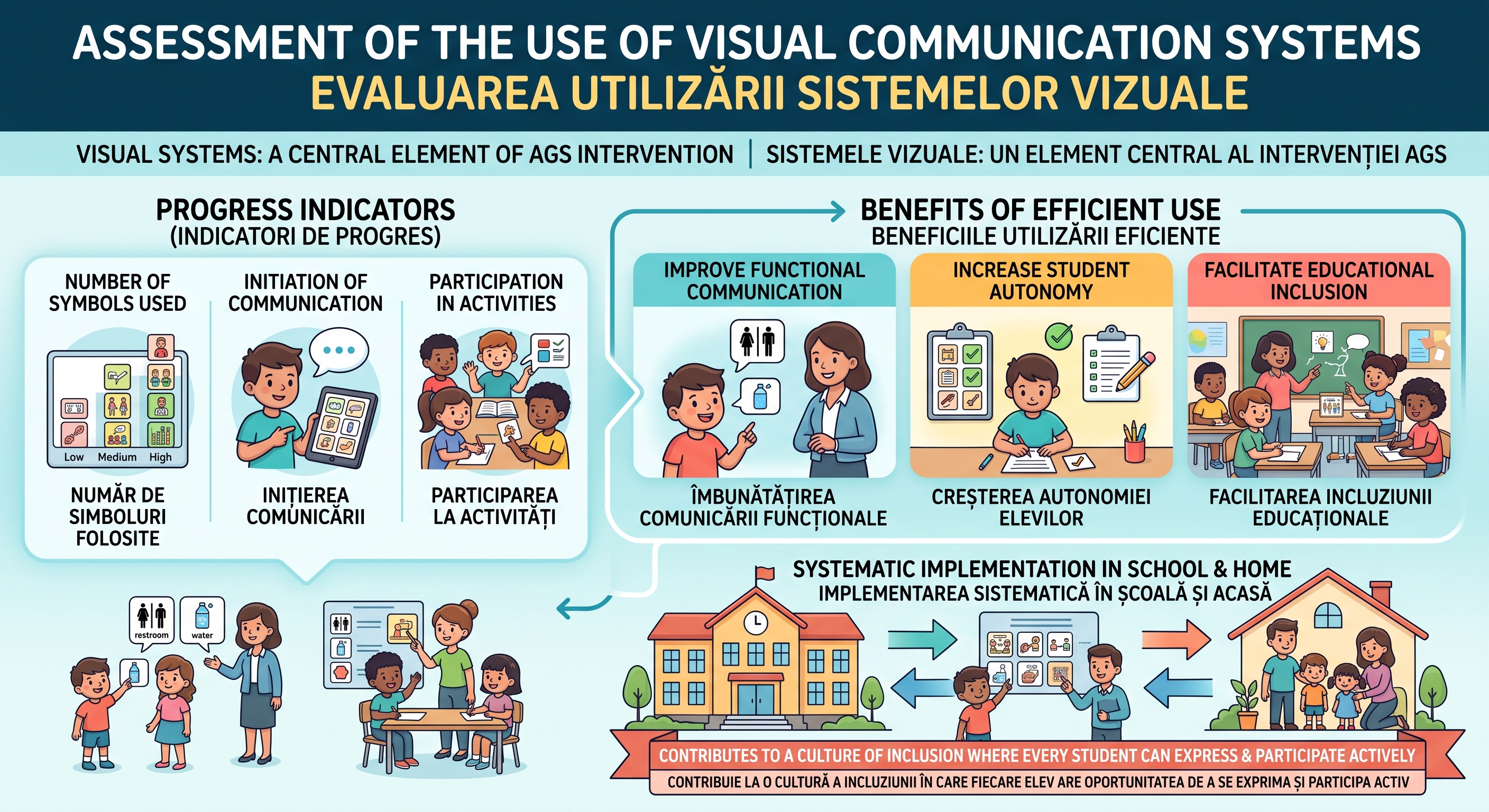
11. Assessment of the use of visual systems
Progress indicators:
number of symbols used
initiation of communication
Participation in activities.
Visual communication systems are a central element of the AGS intervention.
Efficient use of pictograms and symbols:
improve functional communication
Increase student autonomy
facilitates educational inclusion.
Systematic implementation in school and at home contributes to the development of an inclusive educational culture in which every student has the opportunity to express himself and participate actively.
-
-
-
-
Part A – Knowledge and Understanding
10 multiple-choice questions × 1 point = 10 points
https://docs.google.com/forms/d/e/1FAIpQLSe50Jw3kMlNw0EwZO_afKaxsjtVpNVFcVT2iu5SLuFZY6x3Nw/viewform?usp=header
Part B – Classroom Application
2 scenario-based questions × 3 points = 6 points
https://docs.google.com/forms/d/e/1FAIpQLSftWM6Ocmtn72BwfvRrsYQyse5OhE41mIdq8AszMTma2L9lUg/viewform?usp=header
Part C – Practical Teacher Task
https://docs.google.com/forms/d/e/1FAIpQLSfYwQpfwDeni-JzodlBCWibnmgC2oqW4P3pXMpeRgMB_XoyUQ/viewform?usp=dialog
4 points
13. Create Your Own AAC Visual Resource
Task:
Create one visual AAC resource that you could use with a learner in your classroom.Choose ONE:
- a visual timetable;
- a First–Then board;
- a task strip;
- a simple communication board;
- a set of classroom symbols.
Your resource should contain at least 6 appropriate symbols/pictograms and should respond to a real classroom communication, learning or routine need.
You may use ARASAAC, Boardmaker, Widgit, Canva, PowerPoint or another appropriate tool, consistent with the resource-creation options introduced in Module III. -
Evaluation for PARENTS
Visual Communication Systems (Icons and Symbols)
Target group: Parents
Assessment type: Simple knowledge and practical application assessment
Estimated time: 10–15 minutes
Total score: 10 points
Passing score: 7/10 (70%)Instructions for Parents
This short assessment will help you check what you have learned about using pictures, symbols and visual supports with your child.
Do not worry about technical terminology. The aim is to understand how visual communication can help your child communicate, participate and become more independent at home and in everyday life.
https://docs.google.com/forms/d/e/1FAIpQLSdKA4YdGftyDQIKmJUIAAtEVLfW8nTKXInMb-om12yyNWK9RA/viewform?usp=publish-editor
Results and Feedback
9–10 points – Excellent!
You understand how visual communication can support your child and you are ready to use simple AAC strategies at home.7–8 points – Well done!
You understand the main ideas of visual communication. Continue practising visual supports during everyday family routines.0–6 points – Let's practise a little more!
Review the examples in Module III and try using one simple visual support with your child at home.Completion criterion
Funded by the European Union. Views and opinions expressed are however those of the author(s) only and do not necessarily reflect those of the European Union or the National Agency for Community Programs in the Field of Education and Vocational Training (ANPCDEFP). Neither the European Union nor ANPCDEFP can be held responsible for them.
Copyright @eDash. All Rights Reserved by EnvyTheme