Assistive Technology in AAC
Assistive Technology in AAC
Section outline
-
Module 5Assistive Technology in AAC
Assistive Technology in AAC (Augmentative and Alternative Communication) is the set of resources, strategies, and technologies created to help people who have difficulty or are unable to speak and/or write to communicate. It is anything that augments or replaces speech and writing to ensure functional communication and social participation. It can be used by children, young people, adults, or the elderly.
The objectives of Assistive Technology in AAC (Augmentative and Alternative Communication) are:
-
Guarantee the right to communication;
-
Promote autonomy and independence;
-
Facilitate social interaction;
-
Ssupport school learning and improve quality of life.
So:
- Augmentative Communication: complements speech (when the person speaks little or in a way that is not very intelligible).
- Alternative Communication: replaces speech (when the person does not speak).
Who can benefit?
People with:
• Autism Spectrum Disorder (ASD);
• Cerebral palsy;
• Down syndrome;
• Aphasia (post-stroke);
• Neuromotor diseases;
• Intellectual disability;
• Apraxia of speech, among others.
-
WHAT CONSTITUTES ASSISTIVE TECHNOLOGY IN ACC?
-
LOW- TECH AAC
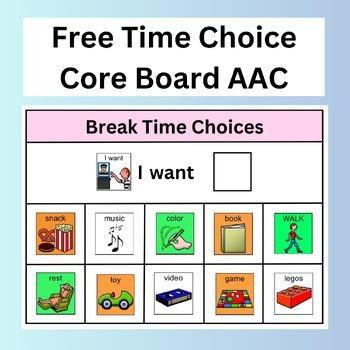
Low-tech Augmentative and Alternative Communication includes communication tools that do NOT use electronics, batteries, or computers. They help people who have difficulty speaking communicate their needs, thoughts, and feelings. Non-electronic tools that support communication:
Examples:
- Picture cards or communication boards

- PECS (Picture Exchange Communication System) cards
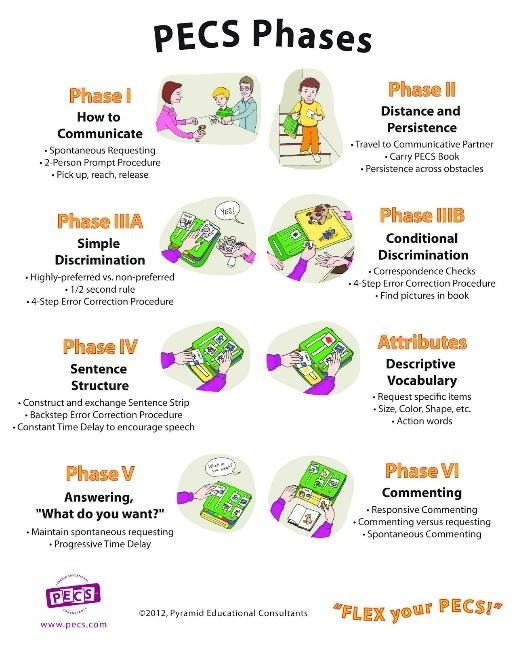
- Symbol books;
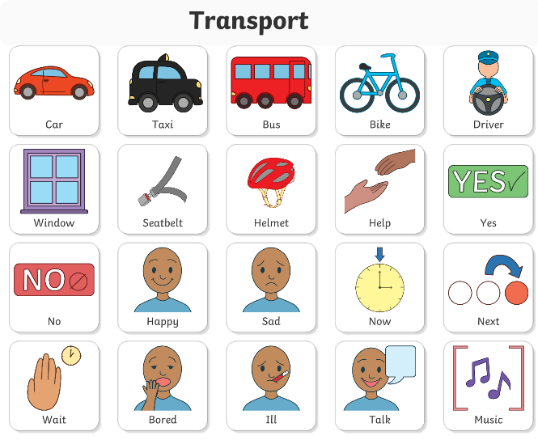
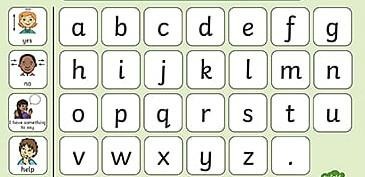
- Alphabet boards for spelling words;
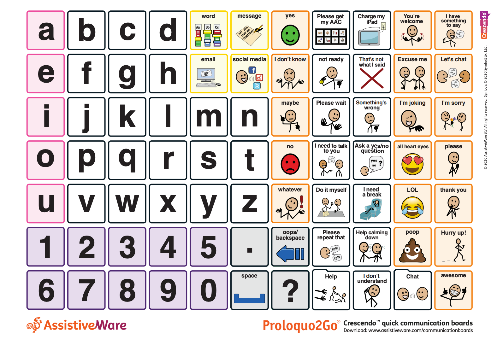
- Printed choice boards (yes/no, food, feelings, activities)
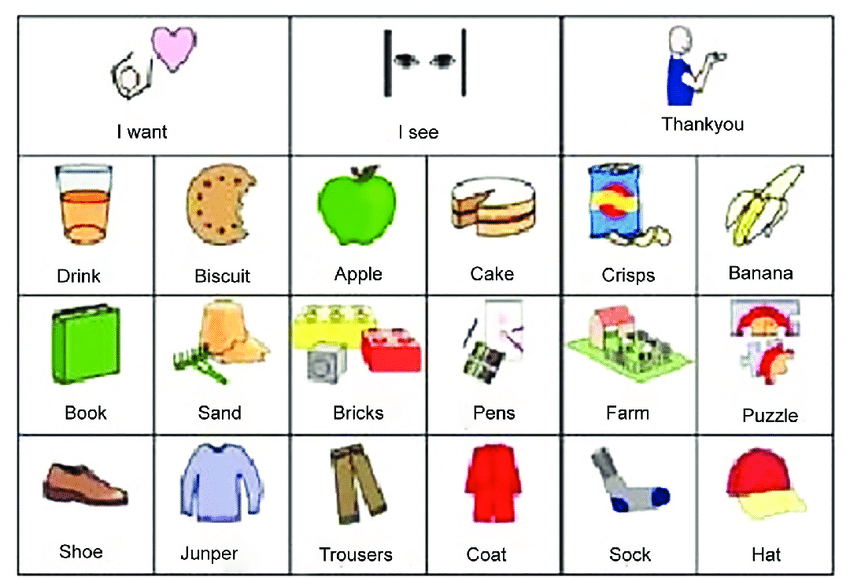
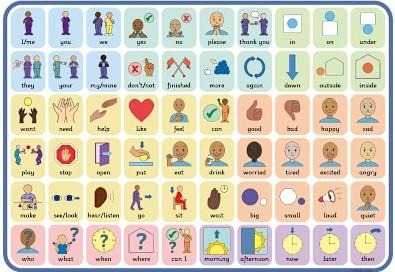
- Gesture or sign systems used with visuals
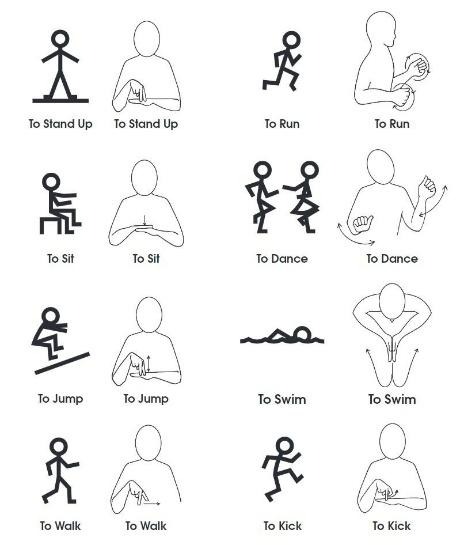
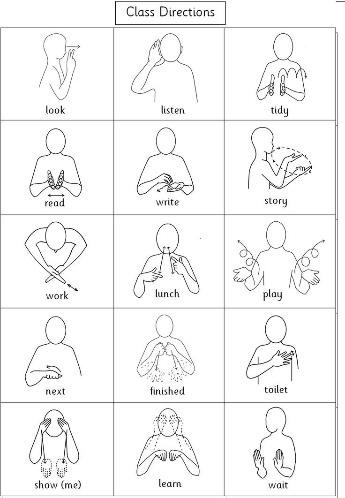
- Written choice boards
-
HIGH-TECH AAC
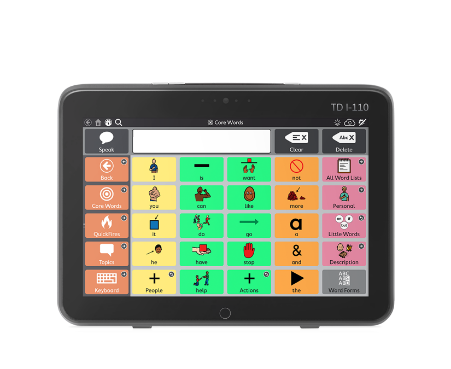
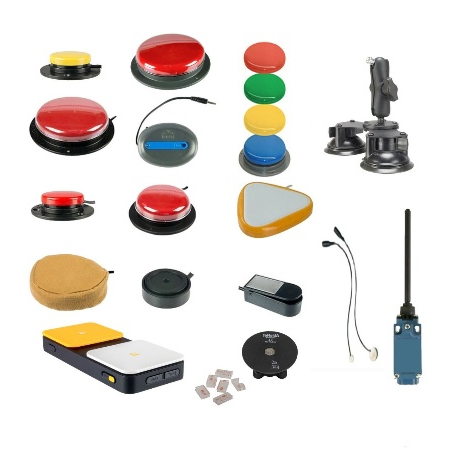
High-tech AAC refers to Augmentative and Alternative Communication systems that use electronic or computerized devices to help someone communicate. Unlike low-tech AAC, these devices can produce speech, generate text, or offer dynamic visual displays. Electronic or digital devices that produce speech or text. They use electronic devices:
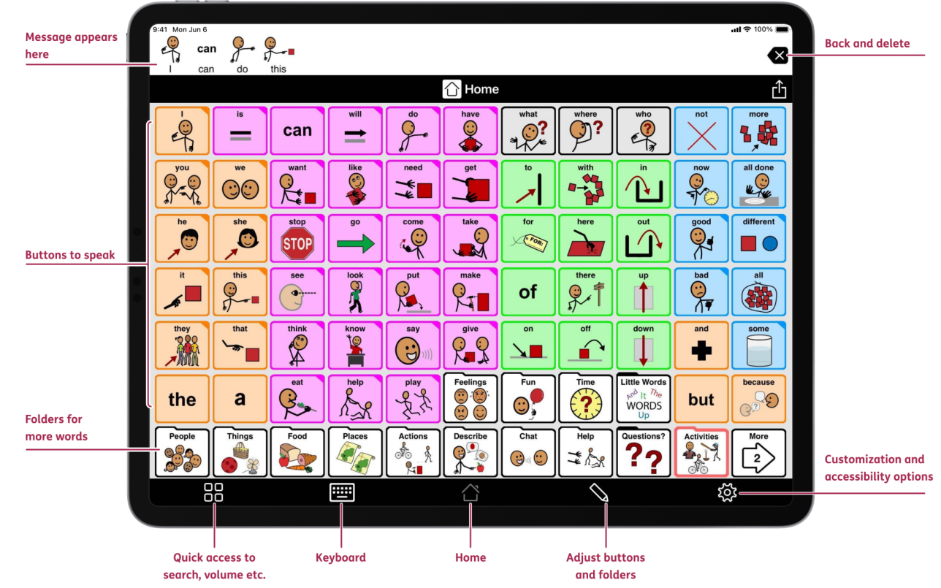
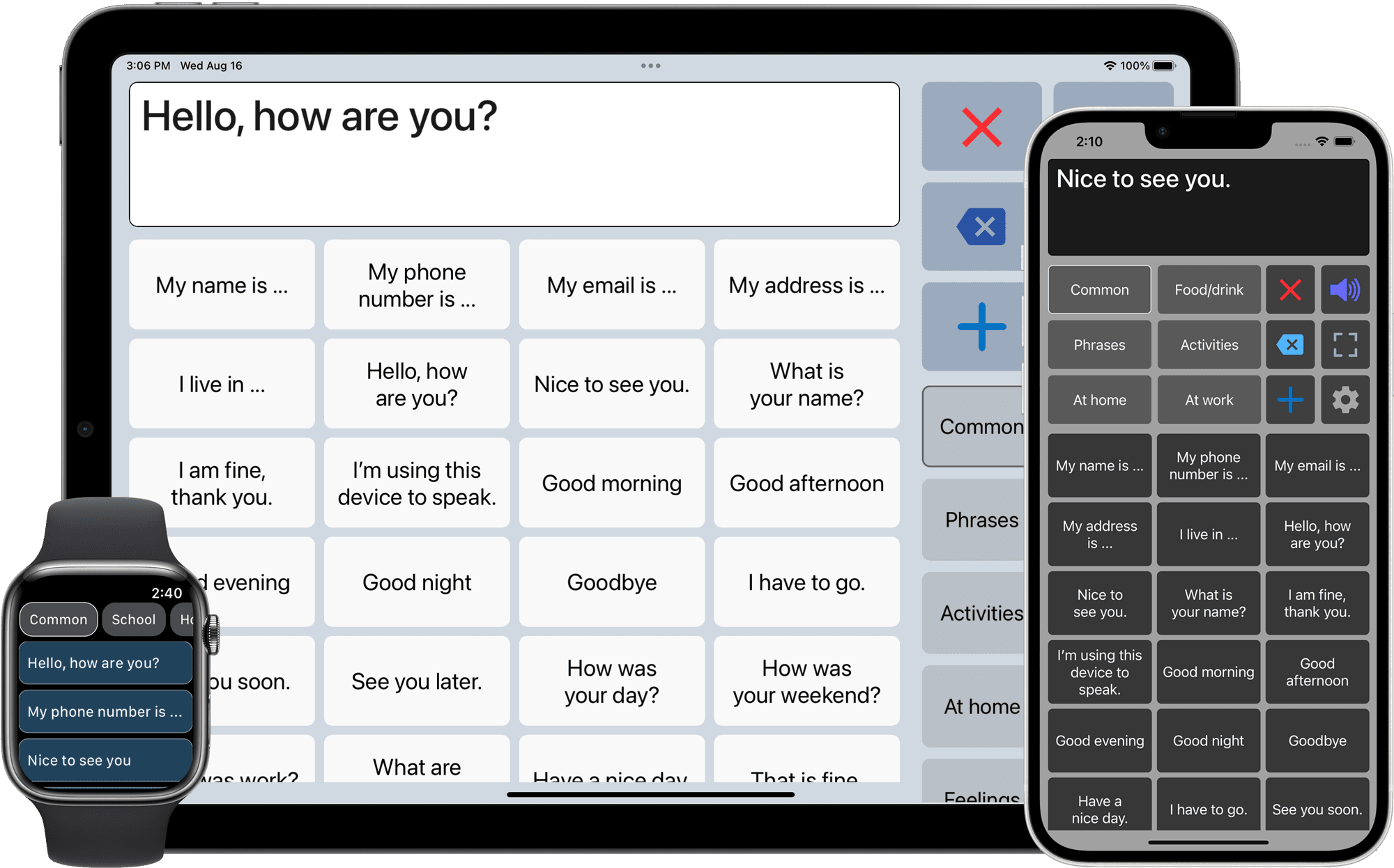
• AAC applications on tablets and cell phones;
• Communicators with synthesized voice;
• Software with symbols, photos, text, and áudio;
• Systems controlled by touch, gaze, or scanning.
Examples:
- Speech-generating devices (SGDs)
- AAC apps on tablets or phones
- Text-to-speech software
- Switch-activated communication devices
-
HOW IS THE TECNOLOGY SELECTED?
Selecting the right AAC technology is a careful, individualized process. It’s not just about choosing a device or app - it’s about matching the person’s needs, abilities, and environment. Here’s a detailed breakdown:
-
Check-list: Criteria for Selecting CAA Software
Evaluation Criteria
TD Snap (Tobii Dynavox)
LetMeTalk
User Profile
From beginner to advanced user (focus on literacy).
Users who need basic and direct communication.
Basic Vocabulary
Includes Core First (based on key/essential words)
Empty grid to be built or very simple categories.
Customization
Highly customizable (grid size, colors, grammar).
Basic customization (add photos and organize folders).
Voice Synthesis
High-quality voices (including children's voices in Portuguese)
It uses the system's voice engine (Google/iOS).
Access Methods
Full support for Direct Selection, Scanning, and Eye Control.
Focused on Direct Selection (touch screen).
Cost and Platform
Paid (License). Available for Windows and iPad.
Free. Available for Android and iOS.
Continuity
It allows the user's linguistic skills to grow for years to come.
Limited for users who progress to complex sentences.
-
PRATICAL ACTIVITIES
ACTIVITIE 1
Activity: “Exploring Assistive Technology in AAC”
Objective: To provide students with hands-on experience using various Augmentative and Alternative Communication (AAC) tools, allowing them to understand different input methods, explore device capabilities, and evaluate their effectiveness for different communication needs.
Detailed Description: Students will explore a variety of AAC applications and devices to understand how technology can support communication for individuals with speech or language impairments. The activity will be conducted in small groups, and each group will have access to one or more devices or apps.
We need tablets or computers with AAC apps (Proloquo2Go, TouchChat HD, CoughDrop, Grid 3, Clicker Communicator), eye-tracking devices (e.g., Tobii Dynavox), switches or adaptive controllers, printed symbol boards, projector or screen.
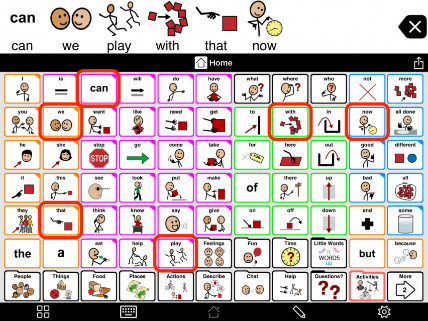
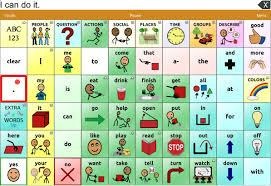
Proloquo2Go TouchChat HD
ACTIVITIE 2
TD Snap software (or similar dynamic grid software)
Activity: “My Digital Routine”
Objective: Learn to prioritize vocabulary and create logical navigation paths between pages.
Detailed Description:
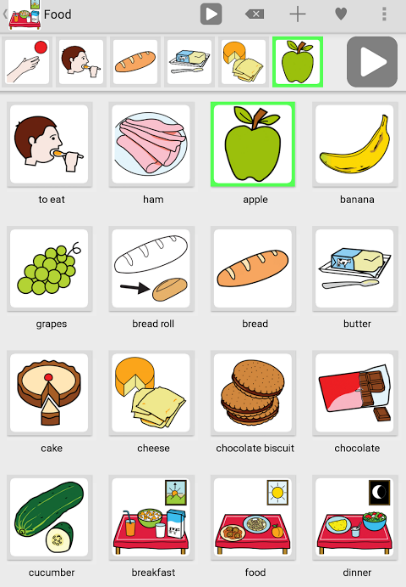
Students must set up a personalized communication page for a "Lunch in the Canteen" scenario. They must select core vocabulary symbols (e.g., want, more, eat, finish) and peripheral vocabulary symbols (specific foods).
ACTIVITIE 3
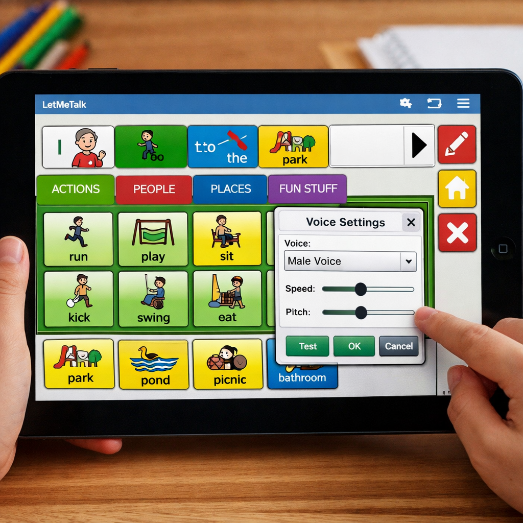
Software LetMeTalk (Android/iOS)
Activity: “Communication in Mobility”
Objective: Practice agility in assembling simple sentences on mobile devices.
Detailed Description:
Using a tablet or smartphone, students should create a quick profile for a trip to the park. They should organize categories by color (e.g., verbs in green, nouns in yellow) and test the synthesized voice in different tones.
ACTIVITIE 4
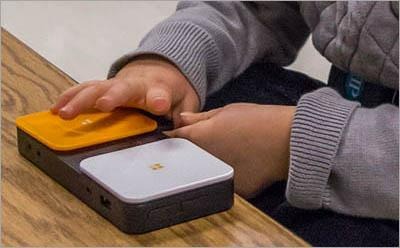
Actuators and Access Interfaces
Activity: “Cause and Effect and Sweeping”
Objective: Understanding the timing calibration and motor effort required for access.
Detailed Description:
Connect a switch to a computer via an interface. The student must configure the scanning time in software so that a user with reduced mobility can select an item.
ACTIVITIE 5
Activity: “AAC device testing”
Objective: Exploring different augmentative communication technologies
Detailed Description: Introduce different devices and applications (such as Tobii Dynavox, Proloquo2Go, Snap + Core First) and allow students to explore how they work.
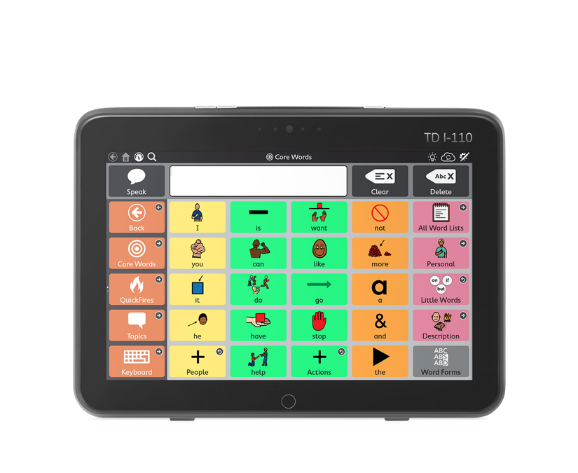
Tobii Dynavox Proloquo2Go
Snap + Core First
3.1.ASSISTIVE TECHNOLOGY IN ACC: Apps and Input Modes
This table presents Augmentative and Alternative Communication (AAC) applications, the input modes they support, and suggestions for classroom exploration.
App / Platform
Platform
Input Methods
How to Explore in Class
Class
Notes
Proloquo2Go
iOS
Touch
Create sentences using symbols; experiment with different button layouts
Good for beginners; customizable
TouchChat HD
iOS
Touch
Set up a dialogue in pairs using the app
Offers a wide vocabulary and various themes
CoughDrop
iOS / Android / Web
Touch, Switch (via accessibility)
Test sending simple messages using tablet or switch
Cloud-based; allows collaboration between devices
Tobii Dynavox Compass / Snap + Core First
Windows / iOS (with Eye Tracker)
Eye-tracking, Touch
Demonstrate symbol selection using only gaze
Ideal for users with limited mobility; requires Tobii hardware
Look to Learn
Windows
Eye-tracking
Eye-tracking exercises, simple games
Initial training in eye-tracking
Grid 3
Windows / iOS (via emulation
Touch, Switch, Eye-tracking
Create communication grids adapted for students; test switch
Supports multiple input methods in one app
GoTalk Now / Jabbla
iOS / Windows
Touch, Switch
Explore sentences and stories using switch or touch
Good for classroom communication simulation
Clicker Communicator
iOS / Windows
Touch, Switch, Eye-tracking
Try each input method using the same board
Allows comparison of ease between input methods
Apple Switch Control / Android Accessibility Suite
iOS / Android
Switch, Gestures, Touch
Use to control AAC apps with different input methods
Useful to demonstrate accessibility without specialized apps
-
CASE STUDY
4.1. Case A: Simon
- Age: 5 years old.
- Context: Diagnosis of Autism Spectrum Disorder (ASD). He has good fine motor skills, but does not use functional speech to express basic needs.
- Skills: Identifies photographs of real objects and is beginning to show interest in pictographic symbols. The family is looking for a low-cost solution to use on a cell phone and in daily life.
- Challenge: To initiate functional communication immediately and without financial barriers.
4.2. Case B: Beatriz
- Age: 9 years old.
- Context: Cerebral Palsy (Spastic Tetraparesis). She lacks the fine motor control to touch a tablet screen. She demonstrates excellent cognitive comprehension and a strong desire to interact.
- Skills: She can perform voluntary and consistent head movements. The school wants her to begin learning sentence structure and grammar.
- Challenge: Finding a hands-free access method and software that matches her school learning potential.
4.3. Resolution Guide (Proposed Solution)
For Simon:
- Suggested software: LetMeTalk.
- Why? It's free, works well on mobile devices (cell phones) that the family already owns, and allows for quick transition from photos to symbols.
- Access Interface: Direct Selection (Simon has the motor skills to touch the screen directly).
For Beatriz:
- Suggested software: TD Snap.
- Why? It offers native support for complex access methods, and the Core First vocabulary will allow her to develop sentences and keep up with the school curriculum.
- Access Interface: Indirect Selection (Scanning) via a switch/handle placed near the head or, if budget allows, an eye-tracking system.
4.4. Communication and Participation Journal (CAA)
USER: __________________________________ Week: / to /
Communication Partner: ___________________________ Local: _____________
Date
Context / Activity
What were you trying to communicate?
How did you communicate? (Symbol, Gesture, Tablet)
Support Level (Full, Light, or Independent)
Notes (e.g., Were they happy? Was there frustration?)
/
Example: Snack Time
I wanted more juice.
You selected the "Plus" symbol in TD Snap.
Independent after modeling
He smiled and maintained eye contact.
/
/
/
4.5. Student Evaluation Forms
Worksheet A: Technical Competency Assessment (Practice)
1. Configuration: Was the student able to import a new symbol into the software? (Yes/No)
2. Organization: Are the core vocabulary words in fixed positions to favor motor memory? (Scale 1-5)
3. Voice: Is the chosen voice synthesis appropriate for the age and gender of the hypothetical user? (Justify)
Worksheet B: Implementation Assessment (Case Study)
• Scenario: "User X is 8 years old and has cerebral palsy."
• Question 1: Which access method (direct touch or scanning) would you recommend after experimentation?
• Question 2: Describe how you would perform 'Modeling' (Aided Language Stimulation) during a game activity with this user.
4.6. Action Plan for Implementation (Detailed)
1. Needs Assessment: Interview with the family and observation in a natural context.
2. Tool Selection: Proof of concept with low technology before transitioning to high technology.
3. Personalization: Insert real photographs of people and objects significant to the user.
4. Training: 60-minute session with caregivers on how to charge the device and adjust simple buttons.
4.7. Online Resources and Support Portals (Free Materials)
ARASAAC (Aragonese Portal for Augmentative and Alternative Communication)
-
What it offers: It's the world's largest free library of pictograms. Includes tools for creating personalized calendars, routines, and communication boards.
-
Site: arasaac.org
Portal of the INR (National Institute for Rehabilitation – Portugal)
-
What it offers: Updated legislation on Assistive Technologies and the national catalog of assistive technologies. Essential for the Portuguese context.
-
Site: inr.pt
Project Core (University of North Carolina)
-
What it offers: Resources focused on the "Core Vocabulary" (Essential Words). Offers universal communication trays for printing.
-
Site: project-core.com
Isaac International (International Society for Augmentative and Alternative Communication)
-
What it offers: The world's leading AAC organization. Excellent for consulting the latest research and best practice guidelines.
-
Site: isaac-online.org
Anditec (Portugal)
-
What it offers: A leading center in Portugal for Assistive Technologies. It has manuals and demonstrations of software such as TD Snap.
-
Site: anditec.pt
PrAACtical AAC
-
What it offers: One of the world's best blogs for brokers. It contains daily modeling strategies and classroom activity ideas.
-
Site: praacticalaac.org
Conclusion
So, Assistive technologies play a fundamental role in supporting the communication of people with speech or language difficulties. In the context of AAC (Augmentative and Alternative Communication), these tools not only expand the capacity for expression, but also promote autonomy, social participation, and inclusion.
The use of technological resources, such as interactive applications, communication devices, and symbol software, allows children or adults to engage more actively in everyday, school, and family situations. Furthermore, the integration of assistive technology with AAC strategies makes learning more meaningful, motivating, and adapted to individual needs.
Therefore, investing in assistive technologies for AAC is investing in quality of life, independence, and real communication opportunities, strengthening bonds and expanding horizons of interaction for all users.
Bibliographic References
American Speech-Language-Hearing Association (ASHA). (n.d.). Augmentative and Alternative Communication (AAC). [Recurso Online]. Disponível em: www.asha.org/public/speech/disorders/aac/
Basto, R., et al. (2018). Comunicação Alternativa: Teoria e Prática. São Paulo: Editora Memnon.
Beukelman, D. R., & Light, J. C. (2020). Augmentative & Alternative Communication: Supporting Children and Adults with Complex Communication Needs (5th ed.). Baltimore: Paul H. Brookes Publishing Co.
Cook, A. M., & Polgar, J. M. (2020). Assistive Technologies: Principles and Practice (5th ed.). St. Louis: Elsevier Health Sciences.
Martins, N. M. (2014). Tecnologias de Apoio e Processos de Inclusão. Porto: Porto Editora. (Sugestão adicional: É a referência de base em Portugal).
Schirmer, C. R. (2007). Atendimento Educacional Especializado: Deficiência Física. Brasília: MEC/SEESP.
Sennott, S. C., Light, J. C., & McNaughton, D. (2016). AAC Modeling with the Aid of Augmentative and Alternative Communication Video Modeling. Research and Practice for Persons with Severe Disabilities, 41(2), 101-115.
-

Funded by the European Union. Views and opinions expressed are however those of the author(s) only and do not necessarily reflect those of the European Union or the National Agency for Community Programs in the Field of Education and Vocational Training (ANPCDEFP). Neither the European Union nor ANPCDEFP can be held responsible for them.
Copyright @eDash. All Rights Reserved by EnvyTheme